
Working with middlewares like Wwise means thinking in game logic: events, states, RTPC. However, when it comes to working on a cinematic scene, a narrative, or simply testing a complete sound sequence, the linear aspect of a DAW like Reaper becomes essential. The problem is that there has so far been a lack of true connection between these two worlds.

This is where ReaperToWwise comes into play, a script developed by Mark Hasselbalch, which relies on Audiokinetic's official ReaWwise connector. Together, these two tools finally enable direct synchronisation between Reaper and Wwise: Wwise events are triggered and controlled from Reaper, as if they were part of your session.
This specifically paves the way for a much faster experimental workflow, a sort of mega soundcaster. You can also design a complete cinematic scene in Reaper while using the interactive resources already set up in your Wwise project: random sounds, RTPC, switches... everything works in real time.
It's also a huge asset for your portfolio: instead of just a demonstration in soundcaster or a linear sequence, you can finally present a gameplay sequence played and mixed in context, with the same flexibility as a linear edit.
Connecter Reaper & Wwise :
Reaper : reaper.fm
Wwise: create a free account at Audiokinetic
- Allows for easy management of extensions from GitHub, directly within Reaper. Download_ReaPack
Extensions → ReaPack → Import Repository → Audiokinetic/Reaper-Tools
Extensions → ReaPack → ReaWwise → right click → Install → OK
Extensions → ReaPack → Import Repository → ReaperToWwise
Recherchez ReaperToWwise → right click → Install → OK
5. Connect Reaper :
- You will see ReaWwise in the Extensions.
Open your Wwise project (or create a new one).
In Reaper, run the following script from the action list
ReaperToWwise.lua.
Choose a port (8080 works well).
Click on Connect to Port
✅ Reaper and Wwise are now connected: You can trigger and control your events directly from your Reaper timeline.
- Port and firewall: ensure that the chosen port (for example, 8080) is not blocked.
- Wwise already open: launch Wwise before running the script.
- Reaper Version: use a recent version (7.x or higher).
- Wwise project name: save the project for the first time before connecting.
How to use ReaperToWwise :

The main window of ReaperToWwise allows you to create the necessary elements to interact with Wwise.
- Add empty item → create an empty item to enter the exact name of the event and the trigger parameters.
- Add a RTPC lane → create a RTPC lane to control it like a standard automation.
- Post "StopAll" event → stop Reaper acts as a "StopAll" event from Wwise.
- RTPC evaluation speed → adjust the RTPC response curve.
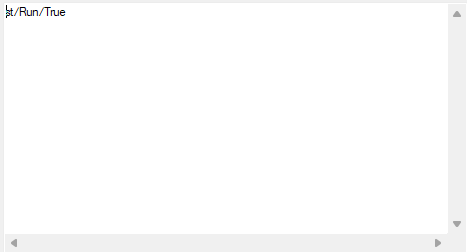
Here is the window that appears after double-clicking on an item (you can trigger multiple events on a single item by separating them with a line). 👇

ReaperToWwise is now a bridge between linear and interactive.
- Automation of RTPCs directly from Reaper.
- Immediate listening in Wwise, without intermediate exports.
Create interactive cinematic scenes:
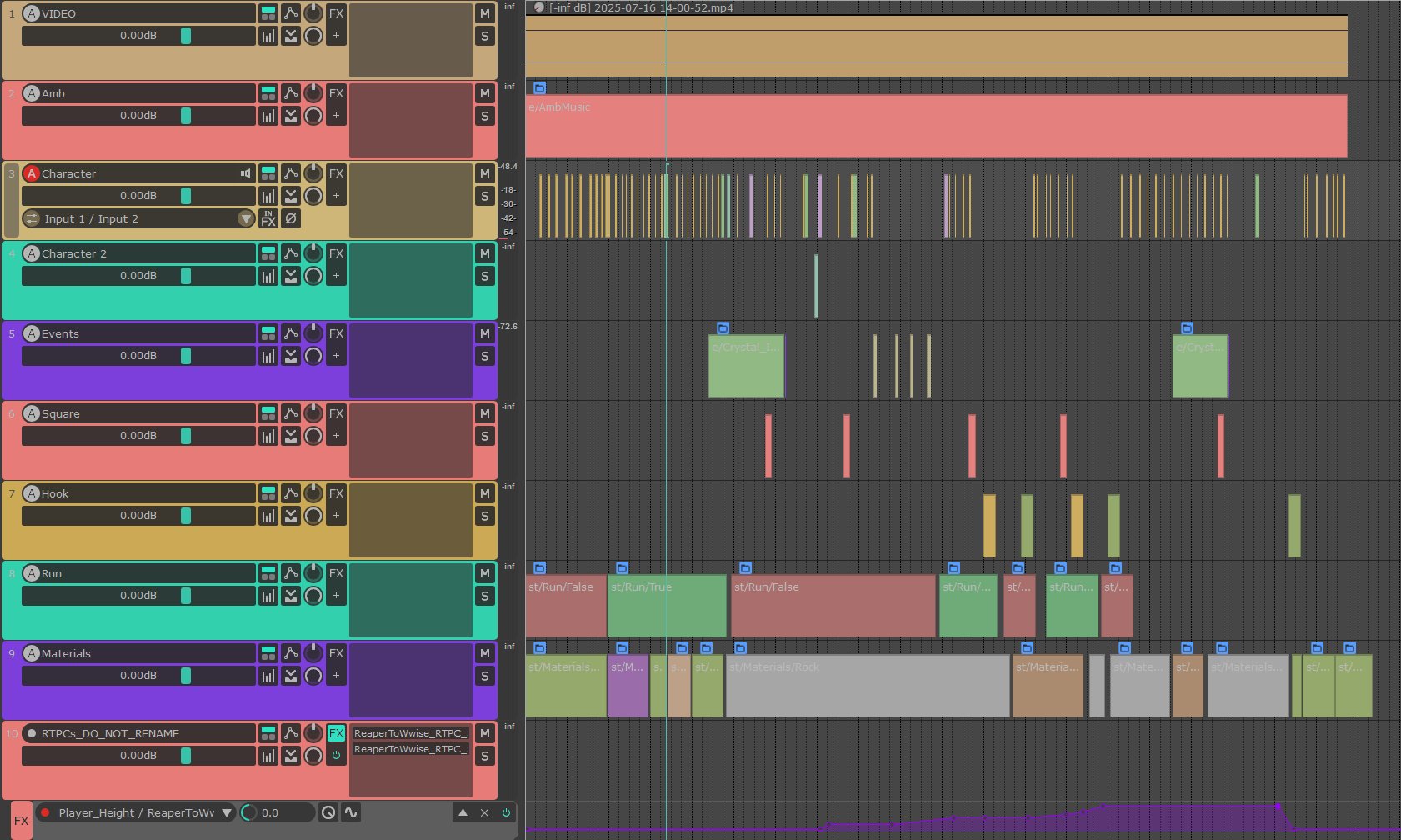
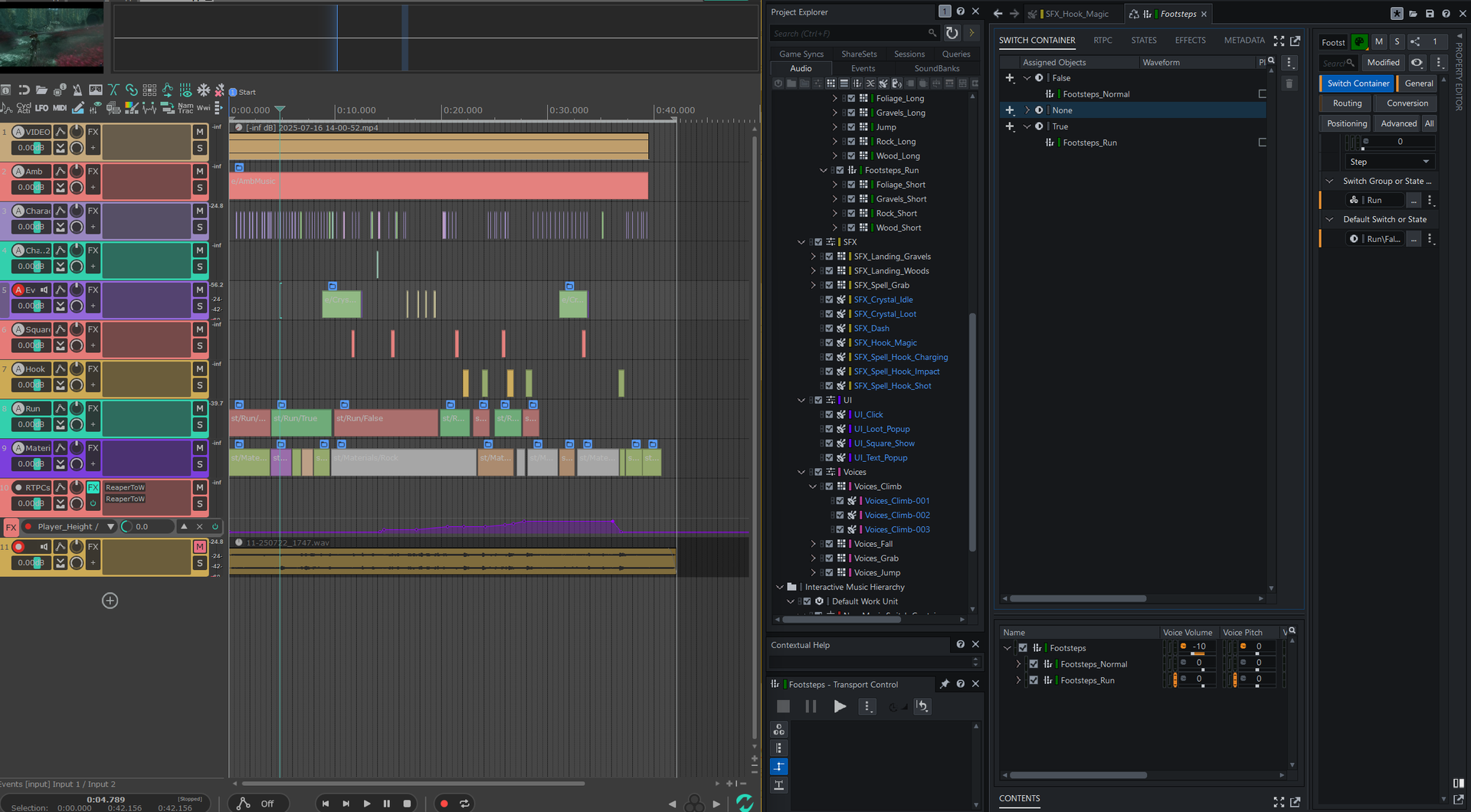
In my video, I tested this workflow on a sequence of Clair Obscur: Expedition 33. The sound was played by Wwise and triggered live from Reaper, with all the randomisation parameters active.
In the screenshot above, we can see that each container is either an event or a parameter. To help me navigate, I used long items for the states and I have a colour code. (green=true, red=false).
Example :
In this passage, the character begins to run:
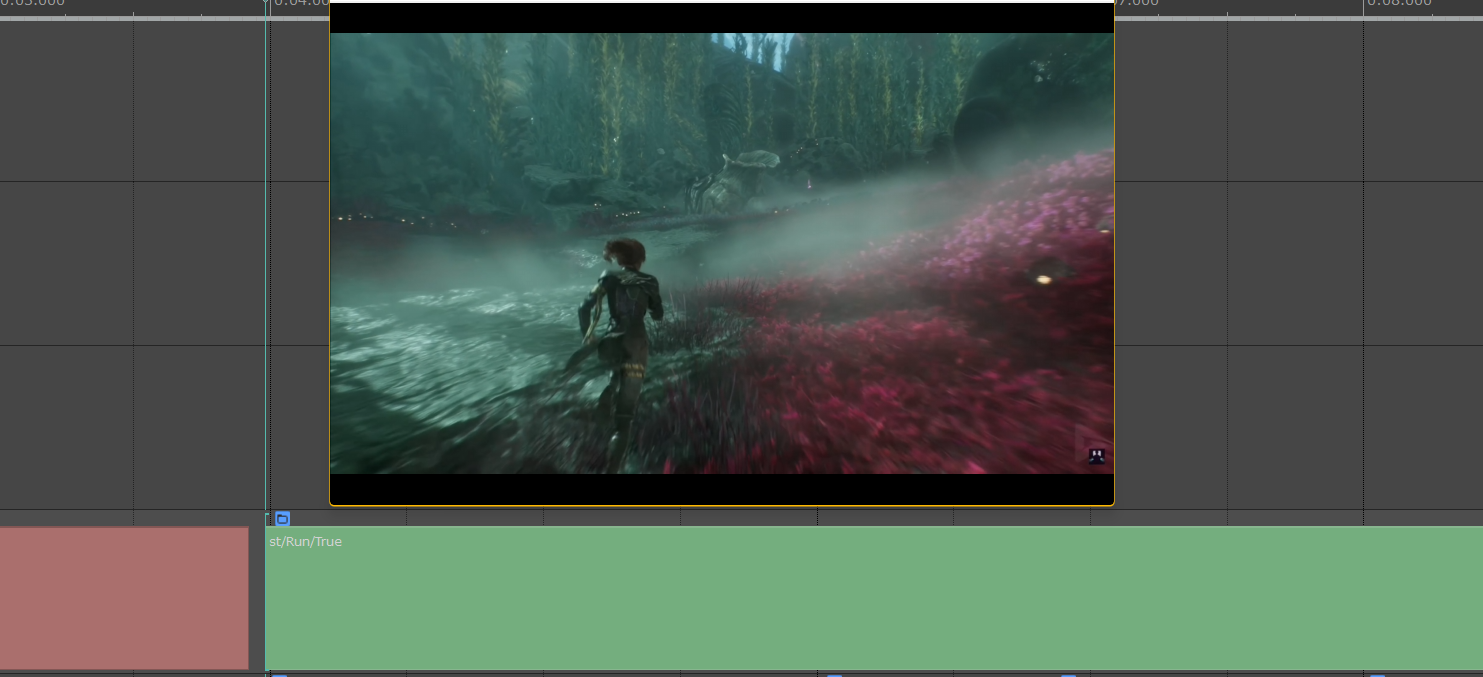
In a Reaper item, I set the "state" Run to True
In Wwise, I have set up a switch container for walking and running.
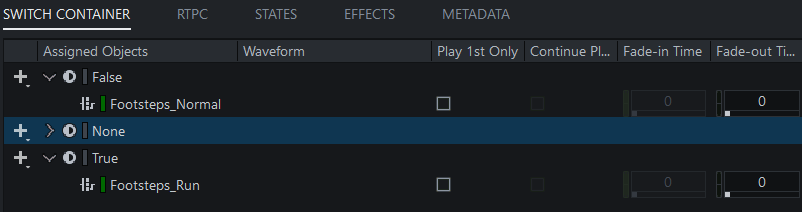
When the Reaper's playback head passes over the item st/Run/True, the footstep sound changes from Normal to Run and plays a random sound from the Random Containers in Wwise.

This is the first time I can use randomisation in a linear sequence, and each playback produces a unique sequence while maintaining the accuracy of the editing and mixing. Interactive music can be controlled in the same way.
An opportunity for big studios?
During a discussion with Olivier Penchenier, Sound Designer Technical and Cinematic at Sandfall Interactive, he explained to me that for Clair Obscur: Expedition 33, the cinematic scenes were completely redesigned in Reaper for total control, drawing from the resources created by the teams like a sound bank.
A tool like ReaperToWwise could interest studios for this type of application, providing a direct link between linear and interactive.
Ressources:
GitHub ReaperToWwise - Script and source code.
ReaWwise - The official connector between Reaper and Wwise, created by Audiokinetic.
Blog Audiokinetic : ReaWwise - Official ReaWwise Course
ReaperToWwise (par Mark Hasselbalch) - Complete presentation in video.
Ma vidéo Youtube - The final result of my experimentation